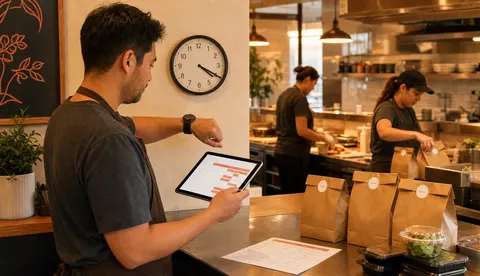
Online ordering hours are not always the same as door hours
Restaurant hours look simple from the outside.
The sign says open at 11. The website says close at 9. The kitchen knows the real story is messier. Prep may not be ready at 11 sharp. The last fryer batch may need to end before the dining room closes. A small staff may need ten quiet minutes between lunch and dinner. A catering order, weather rush, or short shift can make the normal schedule unrealistic.
That is why online ordering hours deserve their own setup.
OmNom gives restaurants direct online ordering with zero OmNom commission and zero monthly platform fees. Standard Stripe processing still applies. But the best economics still need a schedule the kitchen can keep.
The goal is not to accept every possible order. The goal is to accept the orders your team can fulfill cleanly, then make the promise clear before the customer pays.
Start with the kitchen's real first-ready time
The first online order of the day should not arrive before the restaurant can actually make it.
Door hours often describe when guests can walk in. Online ordering hours should describe when the restaurant can receive, cook, pack, and hand off an order without scrambling. Those are related, but they are not identical.
Before setting the first available pickup time, ask:
- When is prep actually ready for the items guests order online?
- Is the register or order dashboard staffed at opening?
- Are online tickets checked immediately, or only after the first rush begins?
- Do drinks, sauces, packaging, and labels have to be ready before orders start?
- Does the kitchen need a short buffer after opening before pickup promises begin?
For some restaurants, accepting online orders at the same time the doors open is fine. For others, the better setup is opening online ordering ten or fifteen minutes later. That small buffer can prevent the first few tickets from feeling late all day.
If you are still building the first launch checklist, pair this with How Restaurants Can Launch Online Ordering in 15 Minutes. Fast setup works best when the basic operating rules are clear before the link goes live.
Set last-call rules before the closing rush
Closing time is where online ordering can create the most frustration.
A guest may see that the restaurant closes at 9 and place a large online order at 8:57. The payment goes through. The kitchen is cleaning. Staff are trying to close the line. Now the restaurant either disappoints the customer or keeps the team late for an order that should have been blocked earlier.
That is a schedule problem, not a customer problem.
Restaurants should decide the last online order time separately from the public closing time. A good cutoff depends on the menu and the handoff path:
- a coffee shop may need only a short cutoff
- a pizza shop may need a longer cutoff for large pies
- a grill-heavy menu may need time before equipment shutdown
- delivery may need an earlier cutoff than pickup
- large orders may need different rules from small orders
The cutoff should feel boring and predictable. If the kitchen needs twenty minutes to handle final orders, do not accept new online tickets in the last five minutes. If delivery needs driver capacity and travel time, do not treat delivery like pickup with a longer clock.
A clear cutoff protects the staff and the guest. The customer sees what is available before checkout. The restaurant avoids taking money for an order it does not want to fulfill.
Separate pickup hours from delivery hours
Pickup and delivery should not share one schedule by default.
Pickup depends mostly on the restaurant's own readiness: the kitchen, packaging, counter, and handoff area. Delivery adds driver availability, distance, timing, and drop-off expectations. A restaurant may be able to take pickup orders until 8:30 while delivery needs to stop earlier because the last dispatch window has closed.
That separation matters for trust.
If a restaurant offers delivery when there is no real capacity behind it, the customer gets a promise the operation cannot keep. In OmNom's delivery model, delivery should only appear available when the restaurant is delivery-enabled and there is dispatchable driver capacity in the restaurant's zone. Delivery is not just a menu toggle.
When setting delivery hours, ask:
- Is delivery actually enabled for this restaurant?
- Is the delivery radius compact enough to protect timing and food quality?
- Does the restaurant have driver capacity during this daypart?
- Should delivery stop before pickup?
- Should delivery be unavailable during staffing gaps or weather-sensitive shifts?
Pickup can be the default direct ordering path while delivery matures. That is not a failure. It is often the cleaner first launch. For more on that decision, read Pickup Only or Delivery? How Restaurants Should Decide What to Turn On First.
Plan for pauses, not just normal schedules
No schedule survives every shift.
A restaurant can set perfect weekly hours and still need to pause ordering during a surprise rush, short staffing, equipment issue, or inventory problem. The mistake is treating those moments like exceptions staff have to improvise every time.
Build pause rules into the operating plan.
Useful pause rules include:
- who is allowed to pause online ordering
- when the team should pause instead of stretching prep times
- whether pickup, delivery, or both should pause
- what message customers should see when ordering is unavailable
- how the team decides ordering can turn back on
Pausing should not feel dramatic. It is an operational control, like stopping walk-in seating when the dining room is full. The point is to protect the promise.
The same logic applies to sold-out items and menu availability. If half the menu is unavailable, pausing the whole store may be less friendly than turning off specific items. If the issue is kitchen capacity, pausing orders for a short window may be the cleaner choice.
Keep holiday and special-event hours out of staff memory
Holiday hours are a small detail until they create a bad order.
Restaurants often remember to post holiday hours on the door or social media. The direct ordering page needs the same attention. If the restaurant is closed on a Monday holiday, closing early for a private event, or opening late after a festival weekend, online ordering should know that too.
Do not make staff rely on memory for this.
A simple holiday-hours check can prevent most problems:
- review the next two weeks before publishing an ordering link
- add known closures before they become urgent
- set early cutoffs for private events or large prep days
- check delivery separately from pickup
- confirm the ordering page after changing the schedule
This is especially important when a restaurant starts directing repeat customers to its owned ordering page. Regulars may skip the phone call and trust the online schedule. That is good when the schedule is accurate. It is painful when the page accepts an order for a day the kitchen is closed.
Use the schedule to make staff training easier
Online ordering hours should be simple enough for staff to explain.
If every daypart has a different hidden rule, the team will either ignore the system or work around it. A better schedule gives staff a few clear defaults:
- when online ordering turns on
- when final pickup orders are accepted
- whether delivery has different hours
- who can pause the store
- how to handle a customer who calls about unavailable times
That last piece matters. A customer who cannot order at 8:50 may call and ask why. Staff should be able to answer calmly:
"Online orders stop a little before close so the kitchen can finish current tickets properly."
That is enough. The restaurant does not need a long policy. It needs a rule that protects the shift and makes sense to a guest.
What to set before you share the direct ordering link
Before sending customers to a new direct ordering page, check the schedule like an operator, not like a website editor.
At minimum, decide:
- first available pickup time
- final pickup order cutoff
- delivery hours, if delivery is enabled
- pause authority during rushes
- holiday and special-event changes
- customer-facing unavailable message
- staff answer for schedule questions
This is the kind of setup detail OmNom is built to make easier. Restaurants can launch direct ordering quickly, get free menu setup help, and keep restaurant-side costs simple with zero OmNom commission and zero monthly platform fees. But the schedule still belongs to the restaurant's real operation.
If the kitchen needs a buffer, give it one. If delivery needs tighter hours, separate it. If a shift is overwhelmed, pause the promise before the promise breaks.
The best online ordering hours are not the longest possible hours. They are the hours your restaurant can keep.
When you are ready to make that direct path real, start at OmNom or open the restaurant dashboard at app.omnom.monster.