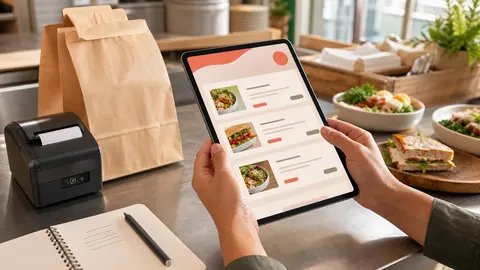
The description is where guests decide if they trust the item
An online menu description has a simple job: help the guest feel confident enough to add the item to the cart.
That does not mean every item needs a long paragraph. A regular may already know the chicken sandwich by name. A new guest may need to know what comes on it, how spicy it is, whether the sauce is included, and whether the photo shows an optional add-on. If the description leaves those questions open, the guest may call, type a messy note, choose a safer item, or abandon the order.
OmNom gives restaurants direct online ordering with zero OmNom commission and zero monthly platform fees. Standard Stripe processing still applies. That makes the ordering economics cleaner for the restaurant, but the menu still has to do the work a counter person or server would normally do in conversation.
Good menu descriptions make the ordering page feel less risky.
Start with the question the customer is actually asking
Most guests are not reading descriptions for entertainment. They are asking practical questions before they spend money.
For each item, write down the one or two questions a customer would ask if they were standing at the counter:
- What comes with it?
- What is the main protein or base?
- Is it spicy?
- Is the sauce included or on the side?
- Does it come with a side?
- Is it large enough for a meal?
- Can it be made vegetarian or gluten-free?
- Does the photo show something that costs extra?
Those questions should shape the description.
"House Burger" is a name. "Double smash patty, American cheese, pickles, onion, house sauce, and fries" is a decision aid. The second version does not need to sound fancy. It just needs to tell the customer what they are buying.
Restaurants sometimes leave descriptions short because staff know the menu so well. Online ordering exposes the gap between staff knowledge and guest knowledge. The best descriptions close that gap without turning every item into a brochure.
Say what is included before explaining what can be changed
A clean description starts with the default item.
Before listing substitutions, upgrades, or special requests, make sure the guest understands what arrives if they do nothing else. That default matters because online customers cannot ask a quick follow-up the way they can in person.
For a bowl, the default description might include:
- base
- protein
- sauce
- vegetables or toppings
- included side or garnish
- heat level, if relevant
Then modifiers can handle the choices: extra protein, dressing on the side, no onion, add avocado, swap rice for greens, or choose a spice level.
This order matters. If the description jumps straight into customization, guests may not know what the item is. If the modifiers carry information that belongs in the description, guests may not see it until too late.
A useful rule: the description should explain the standard item, and modifiers should change the standard item.
If the restaurant is still organizing those choices, read Restaurant Menu Modifiers: How to Keep Online Orders Accurate Without Slowing Checkout.
Keep descriptions short enough for a phone screen
Online ordering happens on small screens, often while the customer is hungry, distracted, or comparing options quickly.
That means descriptions should be clear before they are clever.
A good description usually has one or two sentences. It names the core ingredients, the style, and any decision-critical detail. It does not need the full origin story of the dish unless that story helps the guest choose.
Compare these:
"Our beloved signature sandwich, crafted with care and inspired by years of culinary passion."
"Crispy chicken, slaw, pickles, and honey hot sauce on a toasted bun."
The second one helps the customer order. It also helps staff because fewer guests need to call and ask what is on the sandwich.
This does not mean the restaurant has to sound flat. Brand voice can still show up in item names, section names, and a few well-chosen words. But the description should never hide the operational facts a guest needs to place the order correctly.
Name heat, allergens, and dietary signals plainly
Some menu details are not just preferences. They affect whether a guest can safely or comfortably order.
Restaurants should be careful with allergy and dietary language. Do not promise more than the kitchen can reliably support. If cross-contact is possible, the ordering page should not imply a guarantee the restaurant cannot fulfill.
Still, plain signals help:
- spicy, mild, or not spicy
- contains nuts
- contains shellfish
- vegetarian
- vegan option available
- gluten-free option available
- dairy-free option available
The wording should match the restaurant's real operations. "Gluten-free option available" is different from "gluten-free kitchen." "Vegan option available" is different from "vegan by default."
Heat level deserves the same clarity. If a sauce is genuinely hot, say so. If the dish is mild unless the customer chooses a spice modifier, say that instead. A guest who gets surprised by heat may not trust the ordering page next time.
The goal is not to overload the menu with warnings. The goal is to avoid preventable confusion before checkout.
Make photos and descriptions tell the same story
Photos can help an online menu, but only when the description backs them up.
If the photo shows fries, does the item include fries? If it shows bacon, is bacon included or an add-on? If the bowl photo shows avocado, does every bowl come with avocado? If a sandwich photo shows two sauces, are both part of the default item?
Misalignment creates trust problems. The guest may feel misled even when the restaurant never meant to mislead them.
For every photographed item, compare the image with the description and modifiers:
- Are visible add-ons included by default?
- Are optional ingredients labeled as optional?
- Does the portion shown match what the customer receives?
- Does the description mention the sauce or side in the image?
- Are substitutions handled as modifiers instead of buried in text?
This is especially important for direct ordering. If a restaurant is sending regulars to its own ordering page instead of a marketplace, the page should feel like the restaurant's real promise, not a generic menu shell.
For a deeper photo pass, read Restaurant Menu Photos for Online Ordering: What to Photograph First.
Use descriptions to reduce typed notes
Typed notes can be useful, but they should not carry the normal ordering flow.
If customers constantly type the same thing, the menu is probably missing a description, a modifier, or both. Common examples include:
- sauce on the side
- no onions
- extra dressing
- add utensils
- make it mild
- substitute a side
- allergy reminder
- cut in half
Some of those should become modifiers. Some should be clarified in the description. Some may need a staff policy, especially when the restaurant cannot guarantee a request during a rush.
Typed notes are harder to price, harder to read, and easier to miss on the ticket. Structured descriptions and modifiers make the customer's intent easier for the kitchen to fulfill.
A good first cleanup pass is to review the last week of order notes and ask: which notes came from unclear menu copy, which came from missing modifiers, and which should not be offered online at all?
Write for launch, then improve from real orders
A restaurant does not need perfect menu copy before launching online ordering.
It needs descriptions that answer the obvious questions, protect staff from avoidable confusion, and give guests enough confidence to finish checkout. The first version can be simple:
- name the default ingredients
- mention included sides
- label heat level when it matters
- clarify visible photo add-ons
- keep special requests out of free text when they should be modifiers
- avoid unsupported allergy or dietary promises
After launch, real customer behavior will show what needs tightening. Calls, refund requests, order notes, staff corrections, and abandoned carts all point toward description problems worth fixing.
This is why menu setup should be treated as an operating task, not a one-time writing project. The first draft gets the restaurant live. The next few edits make the ordering page easier to trust.
If you are still shaping the broader menu structure, pair this with Restaurant Menu Categories for Online Ordering: How to Make the First Screen Easier to Buy From.
Where OmNom fits
OmNom is built for restaurants that want direct online ordering without giving up a commission on every order or paying a monthly platform fee. Standard Stripe processing still applies.
Clear menu descriptions support that model because they help guests order directly with less hesitation. The restaurant keeps the ordering relationship, staff spend less time answering the same questions, and tickets arrive with cleaner intent.
OmNom can also help restaurants set up menus for free, which matters because writing descriptions, organizing categories, and cleaning up modifiers can be the slowest part of getting online ordering ready. The goal is not to make the menu perfect on day one. The goal is to make it clear enough to sell food accurately, then improve it as real orders come in.
If your restaurant is ready for a direct ordering page with zero OmNom commission and zero monthly platform fees, start with OmNom or open the restaurant app.