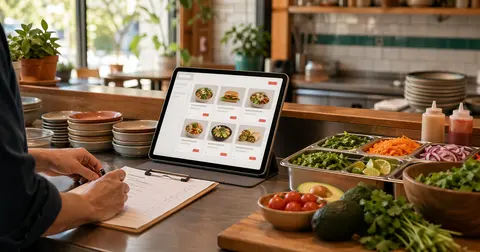
A clean online menu prevents messy first orders
The first week of online ordering usually exposes small menu problems fast.
A modifier is unclear. A price was copied from an old PDF. Customers keep asking for substitutions in the notes field. The kitchen sees a ticket that makes sense to the customer but not to the station that has to make it.
None of those problems mean the restaurant should wait months to launch. They do mean the menu needs a practical pre-launch check.
A good online ordering menu is not just a digital version of the printed menu. It has to guide a customer through choices, protect the kitchen from guesswork, and make pickup or delivery expectations clear before checkout.
Here is a simple checklist to run before you start sending customers to a direct ordering page.
Start with the items customers can actually order
Do not begin with every dish the restaurant has ever served. Start with the items that are safe to sell online right now.
That usually means removing or holding back items that:
- change too often to keep accurate
- require a server conversation before ordering
- travel poorly for pickup or delivery
- depend on limited inventory
- create too many kitchen exceptions during a rush
The goal is not to make the online menu smaller forever. The goal is to make the first live version reliable.
If an item needs a long explanation, a staff warning, or a custom quote, it may not belong in the first online ordering pass. Launch with the menu the team can fulfill consistently, then add complexity after the restaurant has seen real order behavior.
Make prices boringly current
Pricing mistakes are one of the fastest ways to make online ordering feel untrustworthy.
Before launch, compare the online menu against the source the restaurant actually uses for current prices. That might be the POS, the printed dine-in menu, a manager spreadsheet, or the latest approved takeout menu.
The important part is choosing one source of truth. If three different people are pulling from three different files, the ordering page can drift before it even goes live.
Check:
- base item prices
- size prices
- add-on prices
- required modifier prices
- tax and fee expectations
- any item that has recently changed cost
With OmNom, restaurants do not pay an OmNom commission or monthly platform fee. Standard Stripe processing still applies. That cleaner structure helps, but the menu still needs accurate item-level pricing so customers and staff are not surprised.
Build modifiers around kitchen decisions
Modifiers should match the way the kitchen actually prepares the food.
Customers need clear choices, but the kitchen needs tickets that are easy to act on. If those two needs fight each other, the menu usually creates friction.
For each popular item, ask:
- What choices are required before the kitchen can start?
- Which add-ons cost extra?
- Which substitutions are allowed?
- Which choices should be limited to one?
- Which choices can be combined?
- Which requests should not be allowed online?
A burger might need required doneness, optional cheese, paid bacon, sauce choices, and a note that certain substitutions are not available. A pizza might need size, crust, toppings, half-and-half rules, and allergy-sensitive notes handled carefully.
The best modifier setup reduces phone calls. It should help customers answer the obvious questions before the order hits the kitchen.
Do not let special instructions carry the whole menu
A notes box is useful, but it should not become the main ordering system.
If customers need to type "sauce on side," "no onions," "extra ranch," or "gluten-free crust" every time, those options probably deserve structured modifiers. Structured choices are easier for customers to find, easier for staff to read, and easier to price correctly.
Use special instructions for true edge cases, not everyday choices.
Also decide what the restaurant will not accept through notes. Some requests affect food safety, timing, or pricing. Others create impossible substitutions. It is better to make those boundaries clear than to let customers believe every typed request can be honored.
Decide how sold-out items will be handled
Sold-out items are not just a menu problem. They are a trust problem.
If a customer pays for an item and then gets a call saying it is unavailable, the restaurant has to spend time fixing a mistake that could have been prevented.
Before launch, decide who is responsible for marking items unavailable and when that should happen. For example:
- a manager updates sold-out items before dinner service
- the kitchen flags low-inventory items before they fully run out
- staff remove limited specials when the count gets too low
- temporary sold-out items come back only after someone confirms inventory
The process matters more than the tool. Someone needs to own the update, or the menu will quietly become wrong.
This is especially important for direct ordering because the customer is trusting the restaurant's own page. The menu should feel like the current truth, not a hopeful copy of yesterday's service.
Use photos where they help decisions
Photos can make ordering easier, but weak photos can also slow setup down.
Restaurants do not need perfect photography for every item before launch. A few useful photos can be enough, especially for bestsellers, dishes with unfamiliar names, catering-style items, or anything where portion size is hard to imagine.
Use photos when they help customers answer a real question:
- What does this item look like?
- How large is it?
- Is this a full meal or a side?
- Is the sauce mixed in or served separately?
- Is the dish good for pickup or delivery?
Skip photos that are dark, misleading, outdated, or from a different version of the dish. A plain menu with honest descriptions is better than a beautiful page that sets the wrong expectation.
Make hours and fulfillment impossible to miss
Menu setup is not only about food. Customers also need to know when and how they can receive the order.
Before the ordering link is public, confirm:
- pickup hours
- order cutoff times
- prep-time expectations
- delivery availability, if offered
- days the restaurant is closed
- holiday or event exceptions
- whether the menu changes by time of day
If breakfast ends at 11 a.m., the online menu should not invite a noon breakfast order. If delivery is available only under specific capacity rules, the customer should know before checkout.
Clear fulfillment details protect the restaurant from preventable refund requests and awkward staff calls.
Test the ticket, not just the storefront
The customer view matters, but the kitchen ticket is where the setup proves itself.
Before launch, place a few test-style orders in the team's review process and read them like staff would during a busy shift.
Try:
- a simple bestseller
- an item with required modifiers
- an item with paid add-ons
- an item with a substitution
- an order with multiple quantities
- a pickup order near closing time
Then ask the practical question: can the team make this without asking the customer for clarification?
If the answer is no, fix the menu before sending traffic to the ordering page. The best menu setup is not the one that looks fullest. It is the one that creates clear, fulfillable orders.
Where OmNom fits
OmNom is built for restaurants that want direct online ordering without adding a platform commission or monthly software bill. Restaurants pay no OmNom commission and no monthly platform fee; standard Stripe processing still applies.
That matters because menu setup should be about getting orders right, not trying to recover margin from another layer of platform costs.
OmNom can also help with free menu setup, which is often the most tedious part of launch. If the restaurant already has a menu, hours, prices, and a few decisions about modifiers, the path to a live direct ordering page can be much faster than many operators expect.
If you are still gathering the basics, read how restaurants can launch online ordering in 15 minutes. If you are thinking about how the menu helps customers find you later, read restaurant menu SEO starts with your own ordering page.
When you are ready to turn the menu into a direct ordering page, start from OmNom.