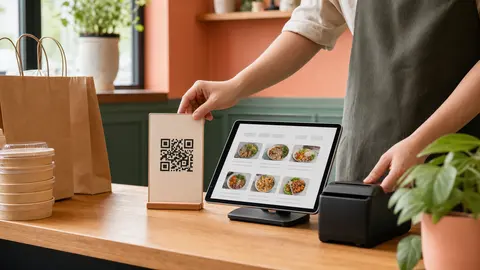
A QR code should create a direct ordering habit, not another mystery link
A QR code can be useful for a restaurant, but only when guests know exactly what will happen after they scan it.
If the code sits on a counter with no context, some guests will ignore it. Others may scan it, see a menu, and still wonder whether the order goes to the restaurant directly, whether pickup is available, or whether they should use the marketplace app they already know.
That uncertainty is the real problem. The QR code is just the doorway.
For restaurants trying to build more direct online orders, the job is not to print a code everywhere. The job is to place the ordering link where customers already have intent, explain it in plain language, and make the next order feel easier than calling or searching again.
OmNom gives restaurants a direct online ordering path with zero OmNom commission and zero monthly platform fees. Standard Stripe processing still applies. A QR code can support that model when it sends loyal guests to the restaurant's own ordering page instead of back through a commission-heavy habit.
Put the code where the customer is already thinking about the next order
The best QR placements are not always the biggest or most decorative.
They are the places where a guest already has food, a receipt, a pickup bag, or a reason to reorder. That context matters because the guest does not need to be convinced that the restaurant exists. They already chose it.
Useful placements include:
- takeout bag stickers
- receipt inserts
- counter signs near pickup
- table tents for counter-service restaurants
- window signs for after-hours pickup interest
- catering flyers or lunch-special cards
- small cards included with first-time direct orders
Those placements work because they catch customers near a real ordering moment. A guest waiting for pickup may scan to see the full menu. A guest eating lunch may save the link for next time. A regular taking home dinner may use the card instead of opening a delivery marketplace later.
Avoid treating the QR code like a standalone advertisement. It should sit next to a short promise: order pickup direct, reorder from our menu, or skip the phone line next time.
If the restaurant has not already made the ordering link easy to find online, pair this with Restaurant Order Online Button: Where to Put Your Direct Ordering Link.
Say what the code opens
Guests should not have to guess whether a QR code opens a PDF menu, a loyalty signup, a marketplace listing, a payment page, or a direct ordering cart.
Use plain language around the code. The best copy is usually short:
- Order pickup direct
- Scan to order from us
- Reorder online next time
- Open our direct menu
- Skip the phone line
The words should match the actual experience. If the code opens a direct ordering page, say that. If it opens a general website first, say that instead. If pickup is the main supported flow, do not imply delivery is always available.
This is especially important for delivery. A restaurant should not promise delivery from a QR code unless delivery is actually enabled and capacity is available. If delivery is sometimes available, the ordering page should make that clear after the guest enters the relevant details. The printed code should not over-promise what the operation cannot always fulfill.
The same rule applies to fees. Do not use tiny print or vague language to hide the checkout experience. The code can invite the guest into a direct ordering path, but the page still needs to be clear about totals, pickup timing, and payment.
Send the code to the direct ordering page, not a confusing middle step
A QR code works best when it opens the page where the customer can actually take action.
For most restaurants, that means the direct ordering page or the restaurant's website page with a very clear order button. Sending a guest to a homepage with six navigation choices creates unnecessary friction. Sending them to a social profile creates even more.
Before printing anything, scan the code on a phone and ask:
- Does the page load quickly on cellular data?
- Is the restaurant name obvious?
- Is the menu visible without hunting?
- Can the customer choose pickup without confusion?
- Are hours and unavailable items handled clearly?
- Does checkout feel like it belongs to the restaurant?
If the answer is no, fix the destination before printing the code. A QR code can increase traffic to a weak ordering page, but it cannot make that page easier to trust by itself.
For restaurants using OmNom, the direct ordering path is built around the restaurant's menu, checkout, and order flow. That matters because the code should reinforce a simple message: this is the restaurant's own ordering link, and the order goes through a direct channel.
Use QR codes to reduce marketplace reflexes
Many loyal customers do not choose a marketplace because they strongly prefer it. They choose it because it is the habit they remember when they get hungry.
The restaurant can interrupt that habit gently. A QR code on a bag, receipt, or counter card gives the customer a direct link at the moment they are most likely to associate the food with the restaurant itself.
The message does not need to attack marketplaces. It can stay practical:
- Order from us directly next time.
- Pickup orders come straight to our team.
- Save our direct ordering link.
- Direct ordering helps us avoid restaurant-side marketplace commission.
That last point matters, but it should be used with care. Some guests appreciate knowing that direct orders support the restaurant more directly. Others simply want the fastest path to the food they already like. Good QR copy can support both.
OmNom's restaurant-side pricing makes this easier to explain: no OmNom commission and no monthly platform fee, with standard Stripe processing still applying. Restaurants can send regulars to a direct ordering page without wondering whether every order creates another platform commission on the restaurant side.
For a broader comparison of owned repeat orders and marketplace habits, read Restaurant Repeat Orders: When to Use Marketplaces and When to Push Direct Ordering.
Train staff to mention the code naturally
QR codes work better when staff know what they are for.
That does not mean every cashier needs a script. It means the team should have one simple sentence ready when a guest asks about the sign, receipt insert, or bag sticker.
Good staff language sounds human:
"That opens our direct ordering page if you want to order pickup next time."
"You can scan that and save our menu so you do not have to call during lunch."
"That order comes straight to us, not through a marketplace."
The staff answer should match the restaurant's actual process. If online orders appear in the dashboard, staff should know where they arrive. If pickup times are based on current settings, staff should know how to handle a guest who asks whether the time is accurate. If the restaurant is still testing delivery, staff should not casually promise delivery from the QR code.
Before promoting the code heavily, place one test order through the same destination. Confirm the page, ticket, staff alert, pickup promise, and payment trail all behave as expected. A printed code can send customers quickly, so the destination needs to be ready.
Use Restaurant Online Ordering Test Order: What to Check Before You Share the Link as the final check before a bigger in-store push.
Measure the behavior you want, not just scans
A QR code scan is not the same as an order.
The restaurant should care about whether the code helps more guests reach the direct ordering path and complete orders with less friction. Even a simple review can help:
- Do staff hear fewer phone orders for routine pickup items?
- Do regulars mention using the direct link?
- Do more customers arrive already knowing their pickup time?
- Do order notes and menu questions reveal confusion on the destination page?
- Do guests scan from the counter but abandon before choosing an item?
If scans happen but orders do not, the problem may be the page, the menu, the pickup promise, or the call-to-action around the code. The fix is rarely "make the QR code bigger." It is usually clearer wording, a better destination, or a more obvious reason to order direct.
Restaurants can also rotate placements. Try a bag sticker for two weeks, then a counter sign, then a receipt card. Keep the winning placements and remove the ones customers ignore.
The goal is not decoration. The goal is a repeatable direct-ordering habit.
Keep the first version simple
A restaurant does not need a full campaign to start using QR codes well.
Start with one code that opens the direct ordering page. Put it in one or two high-intent places. Use clear language. Train staff on one sentence. Place a test order. Watch what customers do.
The first version might be:
- a pickup counter sign
- a takeout bag sticker
- a receipt insert
- a staff note that says, "Scan this next time for direct pickup ordering"
That is enough to learn. If customers use it, expand the placement. If they do not, improve the wording or destination before printing more.
Direct ordering grows through small habits. A QR code is one of those habits when it helps a guest move from "I like this restaurant" to "I know exactly where to order from them next time."
Where OmNom fits
OmNom is built for restaurants that want direct online ordering without paying OmNom a commission on every order or a monthly platform fee. Standard Stripe processing still applies. Restaurants can set up a menu, receive online orders, and give guests a direct path that is easier to promote from the counter, receipt, website, Google Business Profile, and takeout bag.
A QR code is not the whole ordering strategy. It is a bridge from real-world customer attention to the restaurant's owned ordering page.
Use it where guests already trust the food. Tell them what it opens. Make sure the destination is ready. Then let the QR code support the habit that matters most: customers ordering from the restaurant directly.
If your restaurant is ready for a direct ordering link with zero OmNom commission and zero monthly platform fees, start with OmNom or open the restaurant app.