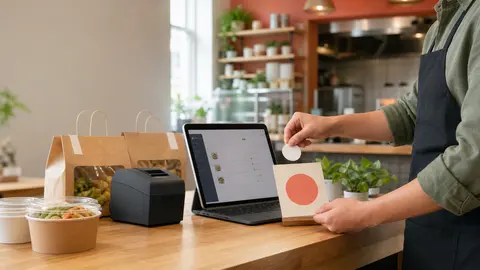
The order button has to meet the customer where intent already exists
Most restaurants think of online ordering as a setup project: build the menu, connect payments, turn on pickup, and make sure orders reach the kitchen.
That work matters. But once the ordering page exists, the next question is more practical: can guests actually find it when they are hungry?
A direct ordering link is not only a website feature. It is a path away from unnecessary phone friction, third-party marketplace habits, and missed repeat orders. If the link is buried, guests may search the restaurant name, click whatever result looks easiest, call during the rush, or give up.
OmNom gives restaurants direct online ordering with zero OmNom commission and zero monthly platform fees. Standard Stripe processing still applies. To make those economics matter, the restaurant needs to place the order link anywhere a ready-to-buy guest is likely to look.
Put the order button in the main website navigation
The top navigation is the safest place for the primary order link.
Guests should not have to read a full homepage, scroll past photos, or guess whether "Menu" means a PDF, a gallery, or checkout. Use plain language: "Order Online" or "Order Pickup." If delivery is not always available, avoid making delivery the promise in the button label.
A strong navigation placement usually has a few traits:
- it appears on desktop and mobile
- it is visible without opening a long page section
- it uses the same wording everywhere
- it points directly to the ordering page, not another explanation page
- it does not compete with too many equal-looking calls to action
If the restaurant already has a full website and does not want a redesign, this is usually the first change to make. A single button in the header can do more for direct orders than a long new page that guests never reach.
For the website setup side, read How to Add Online Ordering to Your Restaurant Website Without a Full Redesign.
Make the menu path lead to ordering, not a dead end
Restaurant menu traffic is high-intent traffic.
When guests click "Menu," they are often deciding what to buy, whether the restaurant is open, and how much the meal will cost. If that path ends in an image-only PDF, an outdated photo menu, or a page with no ordering action, the restaurant is asking the guest to start over.
The menu path should answer two questions quickly:
- What can I order?
- How do I place the order now?
That does not mean every menu page needs to become a hard sell. It means the order button should sit near the natural decision points: above the menu, after category sections, near popular items, and beside pickup instructions.
If the restaurant uses OmNom for the live ordering menu, the menu itself can become the buying path instead of a separate brochure. That keeps the guest on the direct channel where the restaurant pays zero OmNom commission and no monthly OmNom platform fee, with standard Stripe processing still applying.
For menu cleanup before launch, use Restaurant Online Ordering Menu Checklist: What to Fix Before Launch.
Use branded search pages to reinforce the direct path
Some guests do not start on the restaurant website. They search the restaurant name, skim the results, and click the fastest-looking ordering option.
That is why the restaurant's owned pages should make the direct ordering path obvious. The homepage title, menu page, blog or update pages, and local landing pages should all avoid vague language like "learn more" when the guest is probably trying to order.
Helpful owned-page language is simple:
- Order online directly from the restaurant
- Place a pickup order
- View the live ordering menu
- Order direct and skip third-party marketplace friction
The goal is not to stuff the page with keywords. The goal is to make the restaurant's own path unmissable for someone who already knows the name.
If branded search is already sending guests to confusing choices, read Restaurant Branded Search: How to Turn Name Searches Into Direct Orders.
Add the link to social profiles, not just posts
Social posts disappear quickly. Profile links stay put.
If a restaurant announces online ordering only once, many regulars will miss it. Put the ordering link where it can be found after the announcement fades:
- Instagram bio
- Facebook page button or website field
- pinned posts
- story highlight links where available
- short captions on food photos
- profile descriptions that mention direct ordering
Keep the wording consistent with the website. If the site says "Order Online" and social says "Menu," guests may not realize both point to the same buying path.
Social links should also respect the real operation. If pickup is the dependable option and delivery is only available when driver capacity exists, say pickup first. A button should not promise more than the restaurant can fulfill.
Put the link on receipts, bags, and in-store signs
The easiest direct-ordering customer to reach is the person who just bought from the restaurant.
That guest already knows the food, location, and basic experience. Do not make them rediscover the ordering path next time. Use the physical handoff to reinforce the direct link:
- receipt footer
- pickup shelf sign
- counter card
- takeout bag sticker
- menu insert
- table tent
- staff script for regulars
The message can be short: "Order direct next time at [restaurant ordering link]." If the restaurant uses QR codes, place them where a guest has time to scan without blocking the counter.
This is not only marketing. It reduces future phone pressure. A regular who learns the direct link can reorder without calling during dinner rush, and staff can spend less time reading menu items over the phone.
For the handoff process around direct orders, read Restaurant Pickup Order Handoff: How to Keep Direct Orders Moving.
Train staff to say the same thing every time
The order button is not only digital. Staff language matters too.
When a guest asks whether online ordering is available, the answer should be clear and repeatable:
"Yes, you can order directly from us online. The link is on our website under Order Online."
That simple answer does three things. It confirms the page is official. It tells the guest where to find it later. It gives staff a direct path instead of asking them to explain every ordering option from scratch.
Avoid overloading the answer with platform comparisons unless the guest asks. The staff does not need to deliver a lecture about commissions. They just need to point the customer to the direct path confidently.
If the restaurant does want to explain the economics, keep it plain: direct orders help the restaurant avoid restaurant-side marketplace commission, while OmNom itself charges the restaurant zero OmNom commission and zero monthly platform fees. Standard Stripe processing still applies.
Check the link like an operator, not a marketer
After placing the order button, test it during a real shift.
Use a phone, not only a laptop. Start from the homepage, the menu page, a social profile, and a receipt or sign. Ask whether a guest can get from interest to checkout without confusion.
Watch for common problems:
- the button is hidden behind a mobile menu nobody notices
- the menu link points to an old PDF instead of the live order page
- social links point to the homepage but not the ordering path
- staff give different answers depending on who is working
- the ordering page does not make pickup timing clear
- printed materials use an old or hard-to-type URL
Fix the obvious friction first. The best direct ordering link is not the most clever one. It is the one guests can find, understand, and use when they are ready to buy.
Where OmNom fits
OmNom is built for restaurants that want direct online ordering without giving up a commission on every order or paying a monthly platform fee. Restaurants can launch quickly, get free menu setup help, and send guests to a direct ordering page that supports pickup and practical delivery options. Standard Stripe processing still applies.
Once the ordering page is live, placement becomes part of the product. Put the order button in the header. Make the menu path buyable. Reinforce the link through branded search, social profiles, receipts, bags, signs, and staff language.
The point is simple: do not make loyal guests hunt for the direct path.
If you are ready to give your restaurant a clearer direct ordering link, start from OmNom or open the restaurant app.