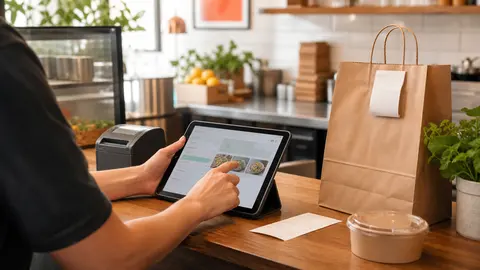
One test order can catch the launch problems guests should never find
Before a restaurant shares a new online ordering link, someone should place one complete test order like a real customer.
Not a quick glance at the menu. Not a manager clicking through three screens and assuming the kitchen will understand the rest. A real test order should move from menu browsing to checkout, staff alert, ticket review, pickup instructions, and payment follow-up.
That small rehearsal matters because online ordering problems rarely arrive as one big obvious failure. They show up as smaller friction: a modifier that prints oddly, a pickup time that sounds too soon, a staff member who does not know which tablet to watch, or a payment question nobody can answer during service.
OmNom gives restaurants direct online ordering with zero OmNom commission and zero monthly platform fees. Standard Stripe processing still applies. That makes the restaurant-side economics easier to explain, but the launch still needs an operational test.
The goal is simple: catch the boring problems before guests do.
Start with the customer view, not the manager dashboard
The test should begin where the guest begins.
Open the ordering link on a phone, ideally on cellular data instead of the restaurant's office Wi-Fi. Search for a popular item. Add it to the cart. Choose modifiers. Check the pickup or delivery wording. Move through checkout slowly enough to notice what a customer would notice.
Ask practical questions while you test:
- Can a first-time customer tell they are ordering from the restaurant directly?
- Are the most important items easy to find without staff help?
- Do item names, prices, photos, and descriptions match what the kitchen expects?
- Are required choices obvious before checkout?
- Does the pickup promise feel realistic for the current shift?
- Are fees, taxes, and payment steps clear enough that a guest will not need to call?
This is not a design critique. It is a confidence check. If the page makes the owner pause, the guest may pause too.
If the test exposes menu copy problems, fix the biggest blockers first. A restaurant does not need perfect descriptions before launch, but it should not make guests guess what they are buying. For a deeper writing pass, read Restaurant Menu Descriptions for Online Ordering: What Guests Need Before Checkout.
Choose a test item that exercises the real menu
A useful test order should not be the simplest item on the menu.
Pick something that touches the normal complexity of the restaurant's ordering flow. A burger with a required temperature choice, a bowl with sauce options, a family meal with sides, or a pizza with add-ons will reveal more than a plain bottled drink.
The best test item usually checks several things at once:
- a base price
- at least one required modifier
- at least one optional add-on
- a kitchen note or allergy-sensitive instruction, if the restaurant allows notes
- a pickup time or fulfillment window
- a total that the owner can easily review later
Then look at the cart before payment. Does the total make sense? Are add-ons priced correctly? Does the order summary show the choices the customer intended?
After the order reaches the restaurant side, compare the staff-facing ticket with the guest-facing cart. The words do not have to match perfectly, but the kitchen should immediately understand what to make.
If customers often need customization, pair this test with Restaurant Menu Modifiers: How to Keep Online Orders Accurate Without Slowing Checkout.
Prove the staff alert before the link goes public
The test order is not finished when checkout works.
The next question is whether the right person notices the order quickly enough to act on it. During service, a working checkout does not help if the ticket sits unseen.
Run the test with the normal tools staff will use:
- the owner or merchant dashboard
- the tablet or computer that will stay open during service
- any receipt printer or kitchen ticket workflow
- the device volume and notification settings staff actually rely on
- the person who will confirm, reject, or manage incoming orders
Do not test only with the owner watching over everyone's shoulder. Ask the person who will handle orders on a normal shift to receive the test order and explain what they would do next.
Good signs are boring: the alert appears, the staff member knows what it means, the ticket is readable, and the handoff to the kitchen does not require a manager to translate it.
If the restaurant needs a clearer pickup routine, read Restaurant Pickup Order Handoff: How to Keep Direct Orders Moving.
Check the pickup promise against the kitchen
Online ordering creates a promise customers can plan around.
The test order should include a quick timing review. If the ordering page says the food will be ready in 15 minutes, ask whether that is true during the shift you plan to promote. A quiet Tuesday test may not prove a Friday dinner promise.
Walk the order through the kitchen path:
- Who sees the ticket first?
- When does prep start?
- Does the station know it is a pickup order?
- Where does the packed order wait?
- What name or order number will staff use at handoff?
- What happens if the guest arrives early?
If the restaurant offers delivery, do not treat this as the same test. Delivery availability and dispatch capacity need their own review because a delivery promise depends on more than the kitchen. For the first public direct-ordering push, make sure pickup works cleanly before adding more complexity.
For timing rules, read Restaurant Online Ordering Hours: How to Set Cutoff Times That Protect the Kitchen.
Review the payment trail while the order is still fresh
A test order should also prove that the restaurant knows where to look when money moves.
With OmNom, restaurants pay zero OmNom commission and zero monthly platform fees. Standard Stripe processing still applies. That means someone on the restaurant side should know how to review the order, payment status, refund path, and payout information before the first real guest asks a question.
After the test order, confirm:
- the order total is what the restaurant expected from the menu setup
- the payment status is visible to the right owner or manager
- the restaurant knows how to handle a refund or cancellation
- the person responsible for payouts knows where to check Stripe-backed payment activity
- staff understand who should answer customer charge questions
This is not about turning the launch into an accounting project. It is about avoiding a predictable scramble. The first time an owner looks for a payment record should not be during a rush.
If payout readiness is the bigger question, start with Restaurant Stripe Payouts: What to Check Before Launch.
Fix only the launch blockers first
A test order can reveal more problems than one person wants to fix in a single sitting.
That is normal. The important move is separating launch blockers from future improvements.
Launch blockers are issues that could make the first guest orders fail, confuse staff, or create payment trust problems. Examples include wrong prices, missing required modifiers, unreadable kitchen tickets, unrealistic pickup timing, broken alerts, or unclear refund ownership.
Future improvements are useful but less urgent. Better photos, more polished descriptions, a rearranged category order, or expanded item availability can come after the restaurant has a stable first version.
Keep the first fix list short:
- one menu accuracy issue
- one staff alert or ticket issue
- one timing or pickup issue
- one payment or refund ownership issue
Then run the test again. The second pass should feel calmer. If it still feels confusing, the restaurant is not quite ready to send traffic to the link.
Where OmNom fits
OmNom is built for restaurants that want a direct online ordering path without giving up restaurant-side commission or paying a monthly platform fee. Restaurants can launch quickly, get free menu setup help, receive orders directly, and keep the economics straightforward. Standard Stripe processing still applies.
The test order is where that promise becomes real. It proves the customer can order, the staff can see the ticket, the kitchen can fulfill it, the pickup handoff makes sense, and the owner can trace the payment.
Do not wait for a guest to find the first preventable problem. Place one test order, fix the blockers, then share the link with more confidence.
If your restaurant is ready for direct online ordering with zero OmNom commission and zero monthly platform fees, start with OmNom or open the restaurant app.