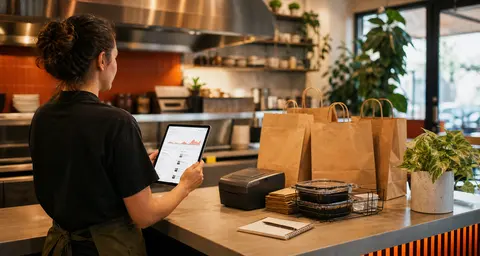
The first week is where online ordering becomes operational
Launching online ordering is a milestone. The first week after launch is where the system proves whether it fits the restaurant.
That first week will show small things a setup checklist cannot always catch. A modifier may confuse guests. A pickup time may be too optimistic during dinner. A staff member may miss a tablet alert. A customer may ask why the checkout total looks different from a phone order. None of those issues mean the launch failed. They mean the restaurant is finally seeing the ordering path under real pressure.
OmNom gives restaurants direct online ordering with zero OmNom commission and zero monthly platform fees. Standard Stripe processing still applies. That makes the economics easier to understand, but the operation still needs a calm first-week review.
The goal is not to rebuild everything. The goal is to watch the right signals early, fix the obvious friction, and turn direct ordering into a normal part of the shift.
Watch whether staff notice tickets quickly
The first operational question is simple: when an online order arrives, does the right person know about it fast enough?
A restaurant can have a clean menu and a beautiful ordering page, but if the ticket sits unseen for five minutes, the guest experience already feels shaky. During the first week, owners and managers should watch the handoff from order alert to kitchen action.
Look for basic behavior:
- Is the order dashboard open during service?
- Are sound alerts or printer alerts working in the real environment?
- Does the counter team know who confirms the order?
- Does the kitchen understand which tickets came from direct online ordering?
- Is there a backup habit if the normal person steps away?
This is not only a technology check. It is a staffing check. The first week should make the alert routine boring: order comes in, staff see it, staff confirm it, kitchen starts it, guest gets a realistic promise.
If the team is still deciding where online tickets should physically land, pair this review with Restaurant Pickup Order Handoff: How to Keep Direct Orders Moving.
Compare promised pickup times with real kitchen timing
Online ordering creates a public promise. The customer does not see the kitchen load, the prep bottleneck, or the fryer queue. They see the time the restaurant gave them.
During launch week, compare that promise with what actually happens.
For each rush, ask:
- Were orders ready before, at, or after the promised time?
- Did certain menu items always need more time?
- Did large orders create a delay the system did not account for?
- Did pickup and delivery need different timing assumptions?
- Did staff start padding times manually because the default was too tight?
If the answer is "we were late every dinner rush," the fix may be as simple as a longer prep time, an earlier cutoff, or a pause rule for overloaded windows. If only one item causes problems, the fix may be menu-specific instead of store-wide.
The first week should turn vague anxiety into visible patterns. A restaurant does not need perfect timing on day one. It needs honest timing by the end of week one.
For the scheduling side, read Restaurant Online Ordering Hours: How to Set Cutoff Times That Protect the Kitchen.
Log every menu question guests ask
Customer questions are setup notes in disguise.
If guests keep calling to ask what comes with an entree, whether sauce is included, how spicy an item is, or why a modifier costs extra, the menu page probably needs clearer wording. If they keep choosing the wrong option, the option may be placed in the wrong order or described too vaguely.
For the first week, keep a simple list near the counter or in a shared note:
- items customers ask about before ordering
- items customers misunderstand after pickup
- modifiers staff keep correcting
- sold-out items that still appear online
- photos or descriptions that do not match what gets packed
Do not treat these notes like criticism. They are the fastest way to improve conversion and reduce support work. A phone question that happens once may be normal. A question that happens every day is a menu setup task.
The cleanest direct ordering menus usually come from this loop: publish the first usable menu, watch what guests do, then tighten categories, descriptions, modifiers, and photos around real behavior.
If modifier confusion is the main problem, start with Restaurant Menu Modifiers: How to Keep Online Orders Accurate Without Slowing Checkout.
Check the payment trail before anyone asks
The first paid online orders should also trigger a finance check.
This does not need to become a long accounting meeting. It does need one manager or owner to know where the payment record lives, how Stripe processing appears, and where payout information can be reviewed. Standard Stripe processing still applies to OmNom orders, even though OmNom does not charge the restaurant a platform commission or monthly fee.
During week one, confirm:
- successful orders are visible in the expected dashboard
- refunds or voids have an owner-approved process
- payout access is assigned to the right person
- staff know who handles payment questions
- online order totals match what the restaurant expects from the menu setup
This matters because payment questions usually arrive at inconvenient times. A customer calls about a charge. A manager asks whether a refund happened. An owner wants to know when funds are moving. The best time to find the answer path is before the restaurant is already busy.
Direct ordering works best when the order trail and payment trail feel inspectable. That is part of the operational value, not just a finance detail.
Listen for guest trust signals
The first week is also when restaurants learn whether guests trust the new ordering path.
Trust questions usually sound small:
- "Is this your real ordering page?"
- "Do you get the order directly?"
- "Why is there an online ordering fee?"
- "Can I still call if something is wrong?"
- "Is pickup faster if I order here?"
Those questions are useful. They show where the restaurant needs clearer language on the website, in-store materials, receipts, or staff answers.
Restaurants do not need to over-explain the entire business model. A simple answer is usually enough:
"Yes, that is our direct ordering page. Orders come to us, and using it helps us avoid restaurant-side marketplace commission."
With OmNom, the restaurant-side message is especially straightforward: no OmNom commission and no monthly platform fee, with standard Stripe processing still applying. If a small customer-side ordering fee appears in the checkout flow, explain it clearly and keep the language consistent.
For a deeper fee communication guide, read Restaurant Online Ordering Fees: How to Explain the Cost Without Losing Trust.
Decide what to change at the end of the week
The first week should end with a short review, not a giant project.
Pick a quiet moment and look at the notes from service. The useful question is not "Was the launch perfect?" It is "What three changes would make next week smoother?"
Good first-week fixes often include:
- increasing prep time during dinner
- hiding or rewriting confusing modifiers
- moving best-selling items higher in the menu
- turning off items that are too hard to fulfill online
- adding a clearer pickup instruction
- training one more person to watch the dashboard
- updating a staff answer for fee, refund, or timing questions
Keep the list small. A restaurant that changes everything at once may create new confusion. A restaurant that fixes the top three frictions each week will usually make the direct ordering path feel normal quickly.
This is also a good moment to decide whether the restaurant is ready to promote the link more aggressively. If staff are catching tickets, pickup promises are realistic, the menu is clear, and payment questions have an answer path, the restaurant can start sending more regulars to the direct page with confidence.
Where OmNom fits
OmNom is built for restaurants that want direct online ordering without giving up a commission on every order or paying a monthly platform fee. Restaurants can launch quickly, get free menu setup help, receive orders through a direct path, and keep the economics easy to explain. Standard Stripe processing still applies.
The first week after launch is where that promise becomes practical. Watch the ticket flow. Tighten the menu. Train the staff answer. Check the payment trail. Then improve the ordering page based on what real guests and real shifts reveal.
If your restaurant is still before launch, start with How Restaurants Can Launch Online Ordering in 15 Minutes. If you are ready to open the direct ordering path, start at OmNom or go straight to the restaurant app.